Home › School bus tracking system › School bus route optimisation software
School bus route optimisation software
Good routes start with real data: where every stop is, which student uses it, and how long each trip actually takes. Satcop gives transport managers that data on a map.
Why routes drift out of shape
Most school routes are drawn once and patched for years. Families move, new housing societies open, a flyover closes for repairs, and a new batch of students joins in a distant area. Each change gets a quick fix. A stop is added here and a student squeezed onto a bus there, until some buses run half empty while others are packed, and the last child on a long route spends far too long on board.
Route optimisation is the work of putting this right: grouping stops sensibly, giving each bus a fair load, ordering pickups so the bus does not double back, and checking the result against real trip times.
What Satcop gives the transport manager
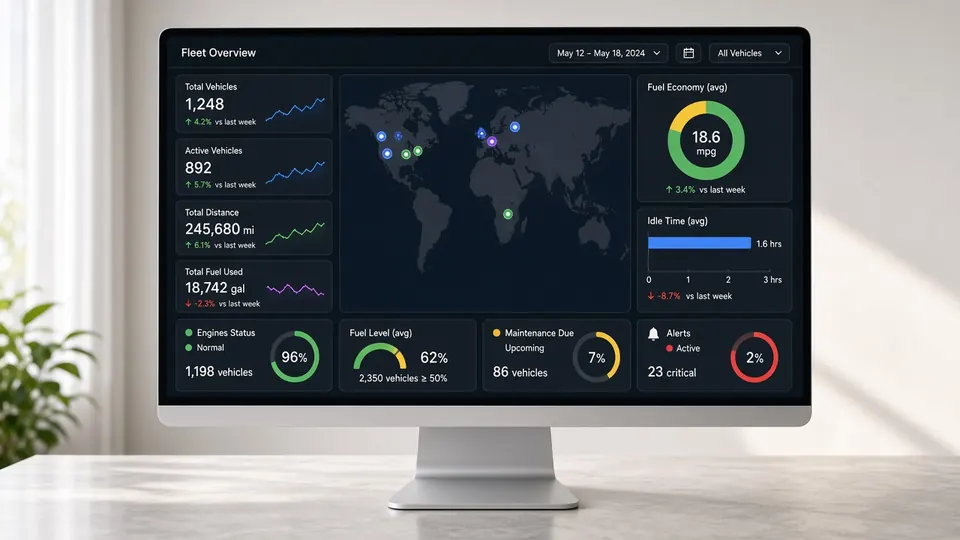
- Every stop on one map. All pickup and drop points for the school, so clusters, gaps and overlaps are easy to see.
- Student allocation. Assign students to buses and stops, and move them when circumstances change.
- Pickup order. The driver app shows the pickup order, so the bus follows the planned sequence and the attendant knows who is next.
- Real trip history. Because every bus carries a 4G GPS tracker, the system records how long each route actually took, morning and afternoon.
- Visited and missed stops. A record of stops that were skipped, which often points to a stop that is badly placed.
- Trip and cost management. A view of trips and running costs, so the school can weigh an extra bus against a longer route.
- Wrong-direction alerts. These tell staff when a driver leaves the planned route.
A practical review, term by term
- Collect. Run the term with tracking and RFID attendance on every bus. The system builds up trip times, stop visits and actual boarding by stop.
- Look. Before the next term, put all stops on the map with the new student list. Mark the routes where the last pickup comes too early in the morning or the last drop too late.
- Regroup. Move stops between buses so each route serves one tight area. Merge stops that are very close together. Check for buses that cross each other's paths.
- Order. Set a pickup order that avoids doubling back, then load it into the driver app.
- Check. In the first weeks of term, compare new trip times and missed stops with the old ones. Adjust where needed.
The software gives you the map, the allocation tools and the data. The decisions stay with your transport team, who know the roads, the drivers and the parents. We show you what our route planning tools do in your package at the demo.
What a better route changes
- Shorter time on board for the children at the far end of a route.
- Fewer missed stops and fewer "the bus did not come" calls.
- More even loads across buses.
- Less doubling back, so fewer empty kilometres.
- A clear record the school can show parents when they ask why a stop moved.
Route planning in big cities
In metros, the case for regular route reviews is stronger, because cities change so fast. Gurugram and Noida add new towers every year, Bengaluru's afternoon traffic can stretch a route far beyond its morning time, and Mumbai's monsoon reshapes routes for weeks. Our city pages cover local patterns: Gurugram, Bengaluru, Mumbai, Pune and more.
Part of the transport system
Route planning sits inside the school transport management system. It uses the same data as live tracking and attendance, so nothing has to be entered twice. If you are starting from scratch, see the full school bus tracking system.
Frequently asked questions
Does the software plan routes automatically?
It gives the transport manager every stop on a map, student allocation, pickup order and real trip history. Your team makes the routing decisions. We show exactly what the route planning tools in your package do at the demo.
Where do the trip times come from?
From the 4G GPS tracker on each bus, which records every trip. The system also records visited and missed stops.
Can drivers follow the planned pickup order?
Yes. The driver app shows navigation, trip details and the assigned students in pickup order.
How often should a school review routes?
At least before each new term, and whenever many students join or move. In fast-growing city areas, schools often review more often.
Do we need GPS on every bus to use route planning?
Route planning works best with a GPS tracker on every bus, because real trip times and missed stops come from the trackers.
More from Satcop for schools
Plan better routes with us
Share your city and bus count. We will show route planning on your own stop list.
Let's talk.
We visit and demo in your city. Ask for a quote.
WhatsApp +91 91560 88090 · Head Office · Nyati Enthral, Kharadi, Pune 411014