Home › School bus blog › A school bus safety routine for the morning route
A school bus safety routine for the morning route
Most school bus problems start small: a late start, a skipped stop, a child who did not board. This routine helps a transport team catch them before a parent has to call.
Related product: school bus tracking system
A safe school bus morning does not come from technology alone, and it does not come from rules pinned on a notice board. It comes from a routine that the transport manager, drivers and attendants follow every day, with tools that make each step quick to check. This guide sets out that routine in five stages, from the night before to the review after the last drop. It shows where a GPS tracking system, RFID attendance and alerts make each step easier.
Use it as a starting checklist and adapt it to your school. A small school with four buses and a large campus with sixty will run it differently, but the stages are the same.
Stage 1: The evening before
The morning goes better when the surprises are dealt with the night before.
- Confirm drivers and attendants. Know by the evening if anyone is on leave, and who covers their route. A relief driver who does not know the stops is the most common cause of a missed pickup.
- Check student changes. Note any child who has moved house, switched bus or applied for leave. In a system with a parent app, leave requests arrive through the app, so the attendant's list for the morning can already reflect them.
- Look at vehicle status. Make sure no bus due for service or with an expiring document is scheduled to run. An admin console that sends document expiry alerts makes this a two-minute check instead of a file search.
- Send any announcements. If a road is closed or timings change for the next day, tell parents the evening before through the app, not at 6:30 the next morning.
Stage 2: Before the bus leaves the depot
The first fifteen minutes of the day decide whether the route runs on time.
- Walk-around check. The driver checks the tyres, lights, mirrors, doors, emergency exit and first-aid kit. Keep a short written checklist, the same for every bus.
- Devices on. The driver starts the driver app and confirms the trip loads with the right student list. The transport manager can see on the dashboard whether each bus's GPS tracker is reporting. A bus that does not appear on the map should be checked before it leaves, not after a parent asks where it is.
- Cameras working. If the bus has cabin cameras, confirm they are recording. A camera that failed last week is no help after an incident this week.
- Attendant briefed. The attendant should know which children are on leave today and whether any new child joins.
On the transport manager's screen, the check is simple: every bus that should be moving is moving, and none that should not.
Stage 3: On the route
This is where most problems happen, and where live tracking earns its keep.
Keep the route on plan
The driver follows the planned pickup order shown in the driver app. If the bus goes the wrong way, staff get a wrong-direction alert. Sometimes that is a sensible detour around a blocked road. Sometimes it is a driver taking a shortcut that skips a stop. Either way, the school knows in minutes, not at the end of the day.
Let parents time the pickup
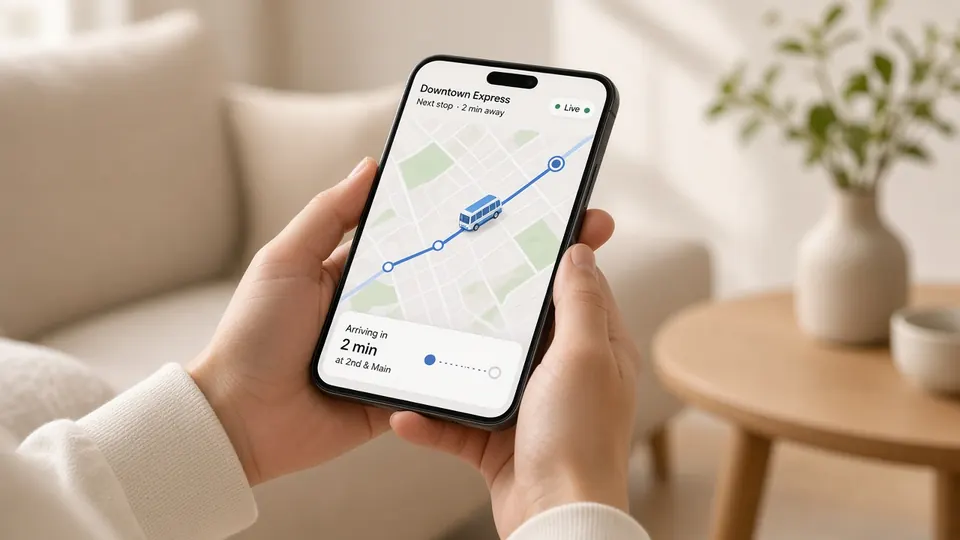
A parent who comes down too early waits at the roadside. One who comes down too late holds up the whole route. The parent app solves this with an alert when the bus is about 2 km from the stop and a live ETA. The bus spends less time at each stop, and children spend less time waiting by the road.
Record every boarding
At each stop, every child taps an RFID card on the handrail reader as they board. The attendant does not need to tick a paper list while also managing the door. The tap is logged against the route, the attendant's list updates, and the parent sees the boarding in the app. If a child expected at a stop does not board, the attendant can see it at once.
Handle the unexpected
If something goes wrong, such as a breakdown, an accident, a child taken ill or a threat, the driver or attendant sends an SOS to the school admin from the app. Agree in advance who receives it, who calls the parents and who goes to the bus. An SOS that arrives in an unwatched inbox is worse than none, because everyone assumes someone else is handling it.
Stage 4: At the school gate
The bus arriving at school is not the end of the journey for safety purposes. The child also has to walk from the bus into the campus.
- Drop record. Each child taps the RFID card again when getting off, which closes the trip record for that child.
- Gate attendance. Schools that use UHF readers at the gate or classroom doors get a second record as students walk in, with no queue. Comparing the two lists shows any child who got off the bus but did not reach class.
- Bus check. The attendant walks the bus after the last child leaves and checks every seat, especially for younger children who may have fallen asleep. Do this every trip, whatever the technology says. A cabin camera can back up this check, but it does not replace it.
Stage 5: After the run
The review takes ten minutes and is where the next week's improvements come from.
- Missed stops. The transport manager checks which stops were missed and why. A stop that is missed often is probably in the wrong place.
- Late routes. Trip history shows which routes ran late and where they lost time.
- Alerts. Review any wrong-direction or SOS alerts, what happened and how the school responded.
- Attendance gaps. Follow up any child who boarded but was not recorded at the gate, or who was expected but did not board and had no leave request.
- Parent feedback. Note complaints and match them against trip records and, where available, camera footage.
Once a term, use this record to review routes. Our page on school bus route optimisation explains how.
Printable checklist
| When | Check | Who |
|---|---|---|
| Evening | Drivers, attendants, leave, vehicle documents, announcements | Transport manager |
| Depot | Walk-around, driver app loaded, GPS reporting, cameras recording | Driver, attendant, transport manager |
| Route | Pickup order, every child taps on, parents alerted, alerts watched | Driver, attendant, transport office |
| Gate | Every child taps off, gate attendance, seat check | Attendant, gate staff |
| After | Missed stops, late routes, alerts, attendance gaps, feedback | Transport manager |
Where technology helps, and where it does not
GPS, RFID and cameras make each step of this routine faster to do and easier to check. They do not replace a careful driver, an alert attendant or a transport manager who reads the reports. An RFID reader records taps. It does not supervise children. A camera records what happened. It does not stop it. Treat the system as the backbone of the routine, not a substitute for it.
If you are choosing a system to support this routine, see how Satcop's school bus tracking system covers each stage, from live GPS and parent alerts to RFID attendance, cameras and SOS.
Frequently asked questions
What should a school bus safety checklist include?
Checks the evening before (staff, leave, documents), at the depot (walk-around, devices on), on the route (pickup order, attendance, alerts), at the gate (drop record, seat check) and after the run (missed stops, late routes, alerts).
How does GPS tracking improve school bus safety?
It shows every bus live, alerts staff when a bus goes the wrong way, warns parents before the bus reaches the stop, and keeps a trip history the school can review.
Does RFID attendance replace the bus attendant?
No. An RFID reader records card taps. It does not supervise children, and the attendant still checks the bus after every trip.
Who should receive SOS alerts?
Decide this in advance. Name the people who receive an SOS, who calls parents and who goes to the bus, so an alert never goes unanswered.
More guides
Want to see it on your buses?
Share your school, city and bus count. We will WhatsApp you back.
Let's talk.
We visit and demo in your city. Ask for a quote.
WhatsApp +91 91560 88090 · Head Office · Nyati Enthral, Kharadi, Pune 411014