Home › School bus blog › School bus alerts explained: who should get which alert
School bus alerts explained: who should get which alert
A tracking system can send dozens of alerts a day. Sent to the wrong people, they become noise that everyone ignores. Sent to the right person, each one prompts a useful action.
Related product: school transport management system
When a school switches on bus tracking, the temptation is to send every alert to everyone. Parents get operational warnings they cannot act on, the transport manager is buried in routine notifications, and within weeks people stop reading any of them. The fix is to think about each alert as a message with a job: who needs to know, and what should they do when they find out? This guide goes through the main alerts in a school bus system and suggests who should receive each one.
Journey alerts: for parents
Parents care about one child's journey. Their alerts should answer three questions: when do I need to be at the stop, did my child get on, and did my child get off safely?
Arrival alert
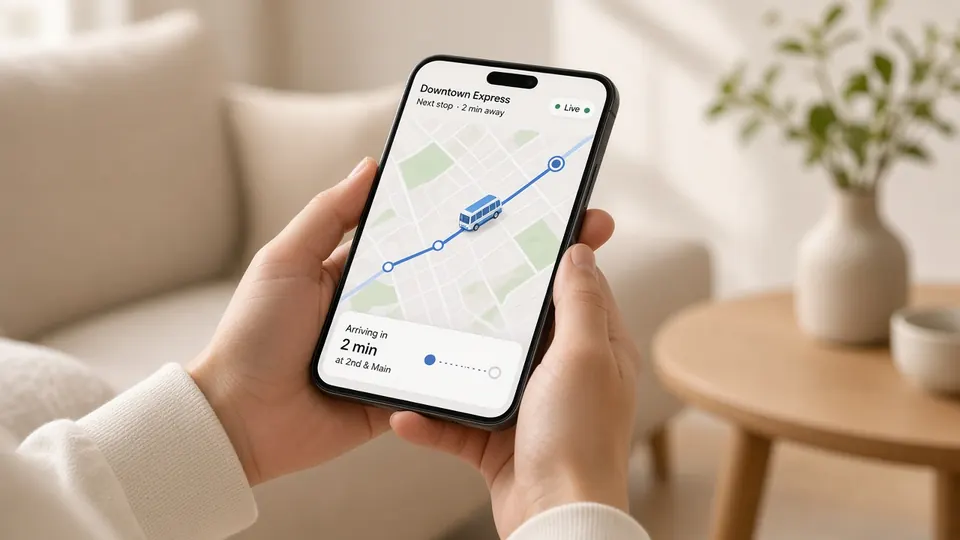
In Satcop's parent app, an alert arrives when the bus is about 2 km from the stop, alongside a live ETA. The action for the parent is simple: start walking to the stop. Explain to parents that the alert is the signal to leave, not the signal to start getting ready. Used well, it shortens the time children spend waiting by the road and the time the bus spends waiting at each stop.
Boarding and drop alerts
When an RFID card reader is fitted on the bus, each tap records the child boarding or getting off. Parents can see this attendance in the app, and board alerts by app or SMS are available depending on the package. The action for the parent is usually none; the alert is reassurance. If an expected alert does not arrive, that is the cue to check the app or contact the school.
Announcements
Announcements are messages from the school to parents on a route or the whole school: a late start, a change of route, a holiday. They are not automatic, but they belong in the parent's alert stream because they change what the parent should do.
Operational alerts: for the transport team
The transport manager and the admin office need alerts that point to something that may need action now.
SOS
The most serious alert. In Satcop's system, the driver or attendant raises an SOS from the app, and the school admin is alerted. Because the bus is tracked, its location is on the dashboard. The action: call the driver or attendant at once and follow the school's emergency plan. See how the SOS works.
Wrong direction
Staff get a wrong-direction alert when a bus leaves its planned path. The action: check the map and, if needed, call the driver. Often the reason is sensible, such as a blocked road. Sometimes it reveals a shortcut that skips a stop. Either way, the school finds out in minutes rather than from a parent's complaint.
Visited and missed stops
The dashboard shows which stops each bus has visited and which it has missed on a trip. The action: if a stop was missed, contact the families at that stop and the driver. Over a month, missed stops also show which routes need attention.
Device not reporting
If a bus does not appear on the dashboard when it should be running, something is wrong: the bus may not have started, or the tracker may have a problem. The action: check with the driver before the route starts, and raise a support request if the device is at fault.
Administrative alerts: for the office
Document expiry
Satcop's admin console sends alerts before vehicle documents expire. These are not urgent in the moment, but missing one can take a bus off the road. The action: renew in good time, or plan a replacement bus for the days the vehicle will be off.
Leave requests
When a parent applies for leave in the app, the attendant and transport office should know before the bus reaches the stop, so the bus does not wait for a child who is not coming.
A simple alert map
| Alert | Who receives it | What they do |
|---|---|---|
| Arrival (about 2 km) | Parent | Walk to the stop |
| Boarded / dropped | Parent (package-dependent) | Nothing, unless it is missing |
| Announcement | Parents on the route or school | Follow the new plan |
| SOS | School admin | Call the bus, follow the emergency plan |
| Wrong direction | Transport team | Check the map, call the driver if needed |
| Missed stop | Transport team | Contact families and driver |
| Device not reporting | Transport team | Check bus, raise support |
| Document expiry | Admin office | Renew or plan a replacement |
| Leave request | Attendant, transport office | Skip the stop for that child |
Keeping alerts useful
- Name a person for every operational alert, with a backup for each shift.
- Do not copy parents on operational alerts. They cannot act on them, and it causes worry.
- Review alert volumes monthly. If one route triggers wrong-direction alerts every day, fix the route plan rather than ignoring the alerts.
- Practise the SOS. Run a test each term so everyone knows what happens.
- Tell parents what to expect. A one-page note on the parent alerts prevents many calls.
Setting up alerts on day one
Before go-live, sit with the transport manager and decide, alert by alert, who receives what. Write it down in a simple table like the one above, with names rather than job titles, and share it with everyone involved. Check that each named person has the right app installed and can see the alert when a test is sent. Decide what happens at weekends and during holidays, when the usual people may not be watching. Revisit the table at the end of the first month: some alerts will turn out to be too frequent, others will need a second recipient. A small amount of planning at the start keeps the alert stream useful for the whole year.
Alerts and privacy
Alerts carry information about children's movements, so they should go only to people who need them. Parents should see their own children, not others on the route. Staff should see only the buses and students they are responsible for. When a staff member leaves the school, remove their access the same day. These are simple habits, but they matter to parents who are trusting the school with their child's location.
Alerts in a full system
Alerts work best as part of a complete school transport management system, where stops, students, attendance and history all live together. To see the alerts on a real bus, book a demo through our school bus tracking system page.
Frequently asked questions
Which alerts should parents receive?
Journey alerts: the arrival alert about 2 km before the stop, boarding and drop alerts where the package includes them, and school announcements.
Who should receive the SOS alert?
The school admin side, with a named person and a backup for every shift. The school then decides how to inform parents.
What is a wrong-direction alert?
It tells staff that a bus has left its planned path, so they can check the map and call the driver if needed.
Can the system remind us about vehicle documents?
Yes. Satcop's admin console sends alerts before vehicle documents expire.
Why not send every alert to everyone?
Too many alerts become noise. Each alert should go to the person who can act on it.
More guides
Want to see it on your buses?
Share your school, city and bus count. We will WhatsApp you back.
Let's talk.
We visit and demo in your city. Ask for a quote.
WhatsApp +91 91560 88090 · Head Office · Nyati Enthral, Kharadi, Pune 411014